
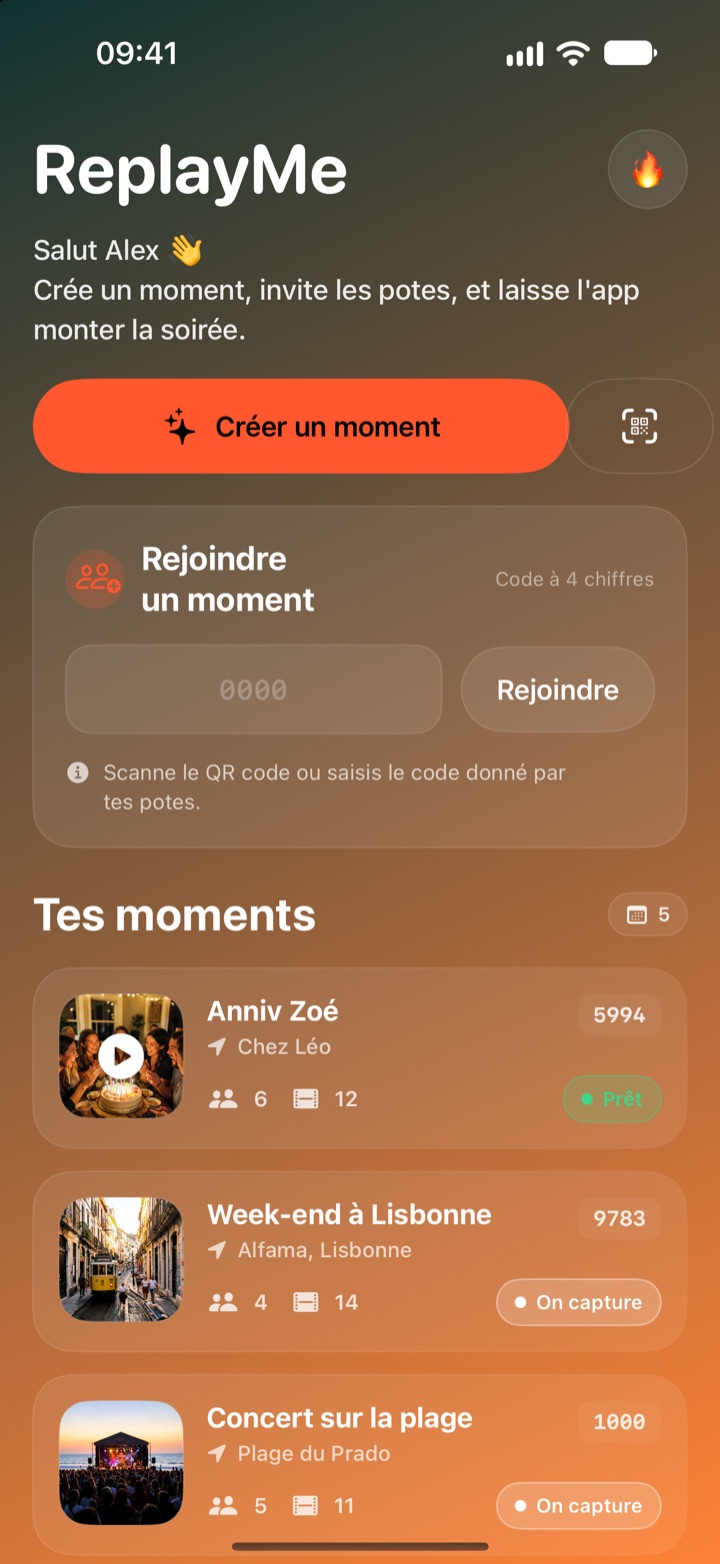
One party, ten phones filming, and in the end nobody edits anything. ReplayMe gathers everyone's clips and turns them into two videos ready to share, right on your iPhone: a vertical Short and a horizontal Vlog.
iOS 17 or later
TikTok, Reels, Shorts
YouTube and the group chat
Features
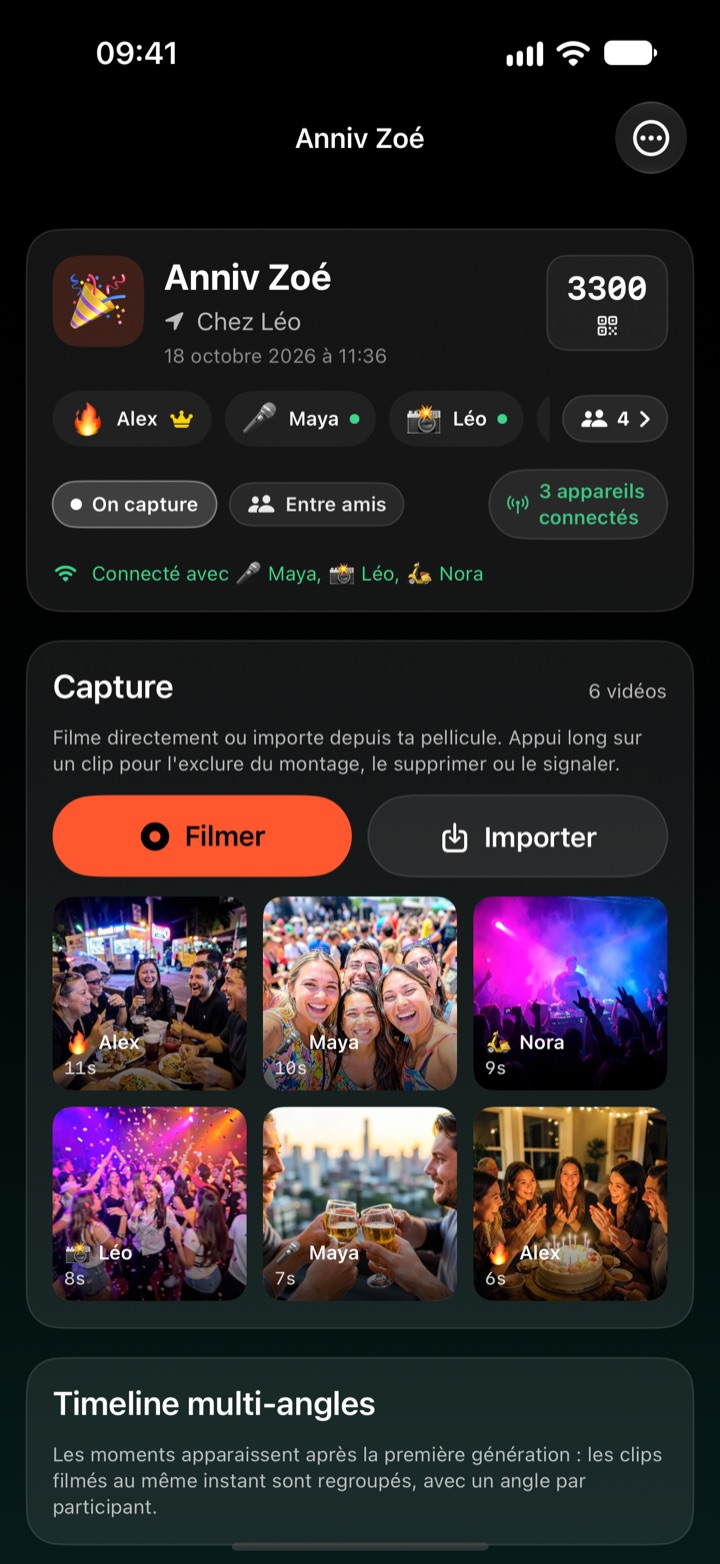
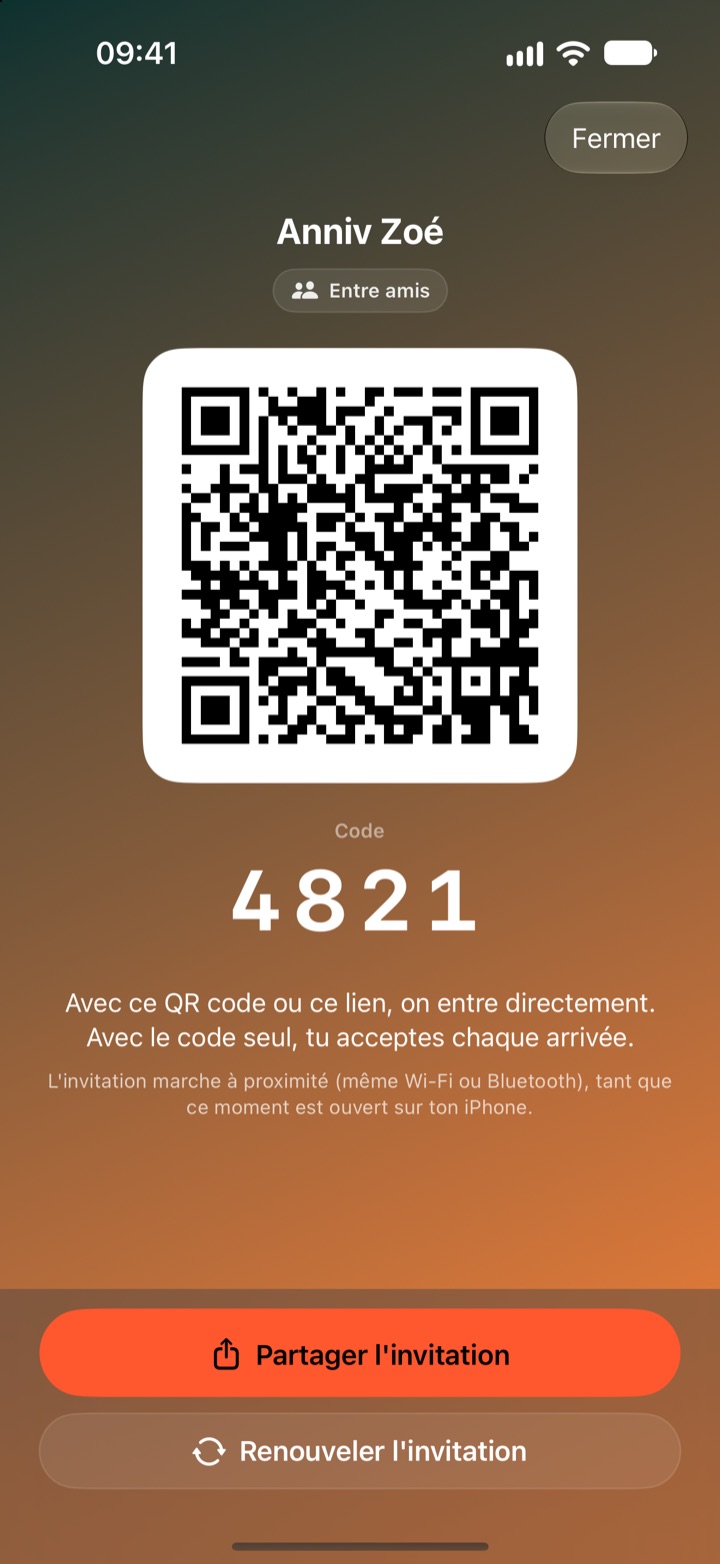
Create a moment: it gets a QR code, an invitation link and a 4-digit code. Your friends join it nearby, and every clip filmed or imported reaches all participants.
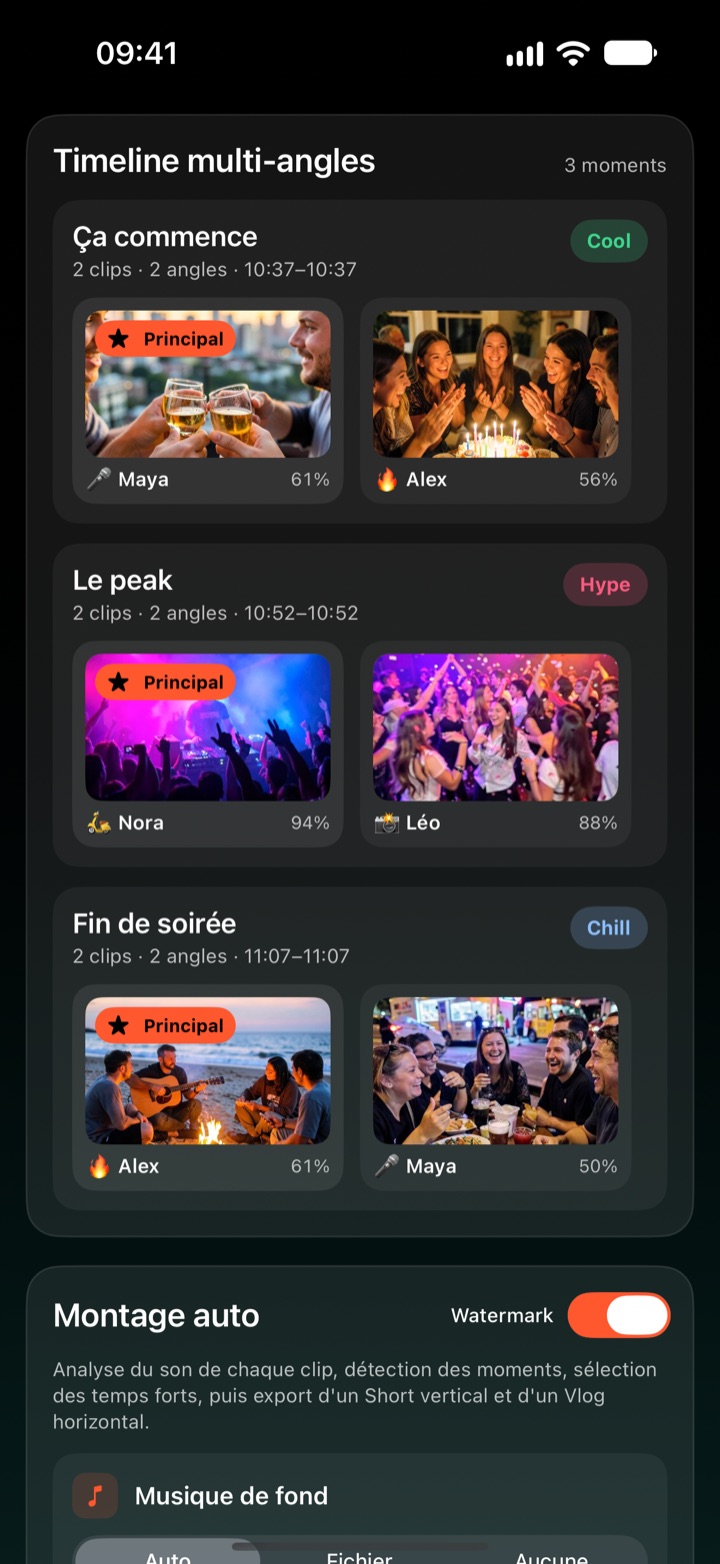
One button, and the app produces a vertical Short of up to 40 seconds and a horizontal Vlog of up to 2 min 30. Regenerate as often as you like, after every new clip.
Every clip is analyzed: sound energy and picture motion, in half-second slices. The segments kept are centered on the peaks, and a silent but lively clip is not forgotten.
Clips filmed at the same time are grouped into one moment, with one angle per participant and the main angle put forward. Moments filmed by several people come before isolated shots.
Every replay opens with an animated opening card (moment name, place, date, participants) and ends on a closing card. An original soundtrack is composed on the iPhone from the energy of the clips, Chill, Groove or Hype; you can also use your own file, or no music. Crossfades between shots and audio fades at every cut.
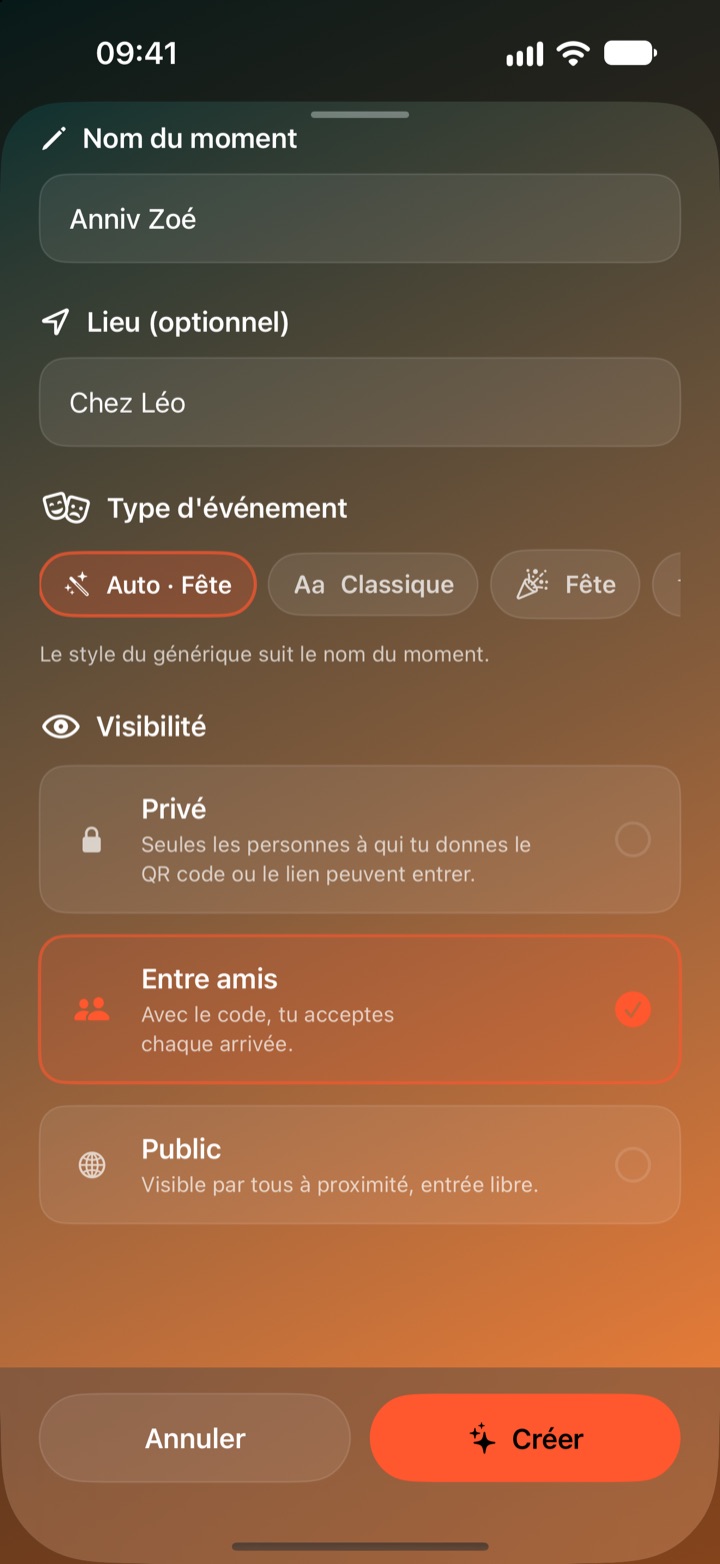
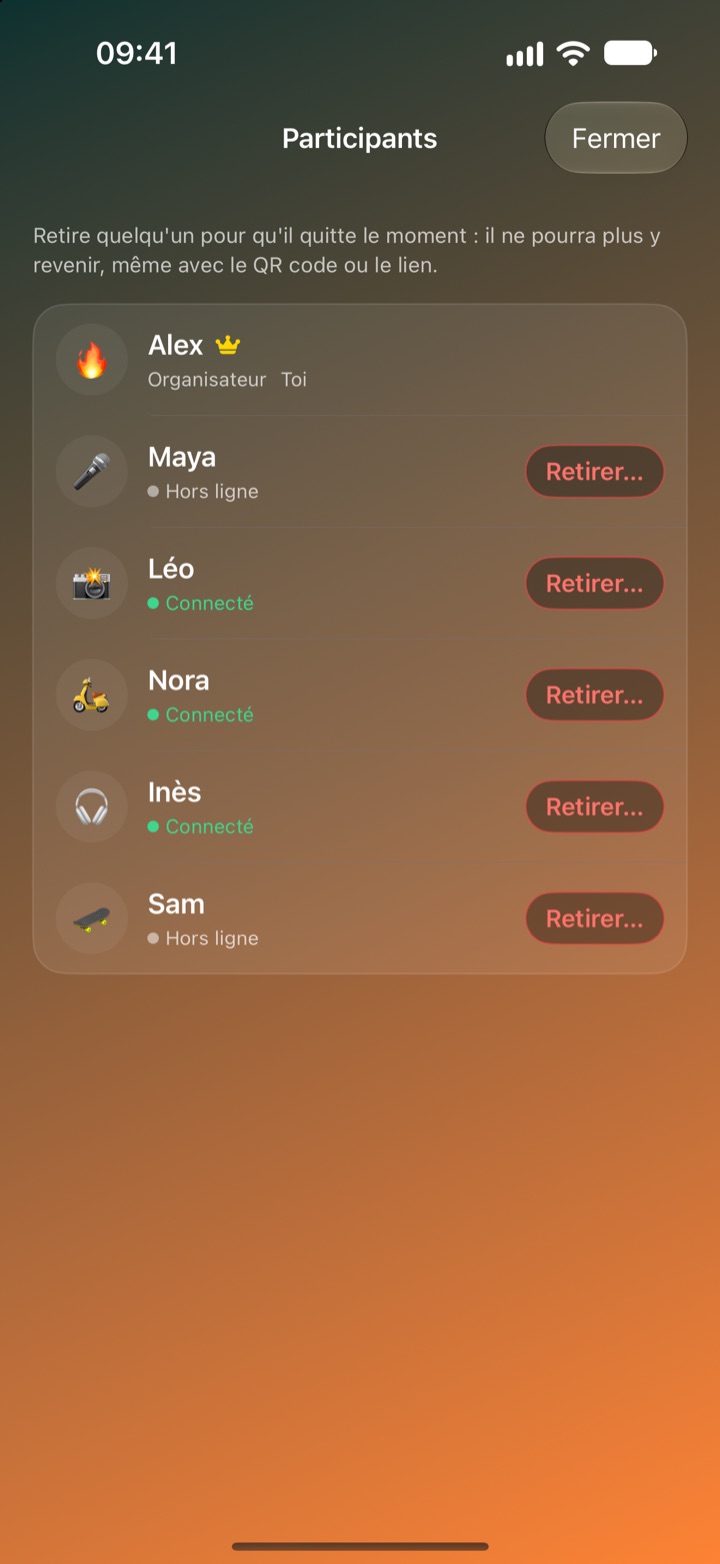
Private, Friends or Public: the organizer decides who joins the moment. They can remove a participant and delete a clip for everyone; everyone can leave a clip out of their edit or report it.
Three access levels
The organizer picks the level when creating the moment, and can change it later from the moment's menu (« Visibility »).
- Private: only the people you give the QR code or the invitation link to can get in; the 4-digit code alone is not enough. « Renew the invitation » makes the old QR codes and links useless.
- Friends: your QR code or your link lets people in directly; with the code alone, you accept or decline each arrival on your iPhone.
- Public: the moment shows in the « Nearby » list of the iPhones around you, and anyone can get in.
In every case, the organizer can remove a participant, with or without their clips: that person receives nothing more and cannot come back, even with the QR code or the link.
How it works
- Create the moment. A name, a place if you like, and its access level.
- Invite. Show the QR code, send the link, or give the 4-digit code for a Friends or Public moment. Your friends get in from « Join a moment ».
- Film. Everyone films on their own, or imports their photos and videos: while you are connected, the clips reach everyone.
- Tap « Generate the replay ». Analysis, highlight detection and the two exports run one after the other, with progress on screen.
- Share. The iOS share sheet to your networks, or save to Photos.
How clips travel between iPhones
ReplayMe uses no server and no account: the iPhones talk to each other directly, over Wi‑Fi or Bluetooth, much like AirDrop, and each link is encrypted by iOS. Each participant connects to the organizer's iPhone, which relays the clips to the people it has admitted: the moment therefore has to stay open on that iPhone while sharing. iOS asks for a « Local Network » permission the first time: without it, sharing cannot work.
Privacy
Everything happens on your iPhone: sound analysis, highlight detection and editing are computed locally. Your clips only leave the iPhone for the admitted participants of your moments, or when you share them yourself. No account is required, no data is collected, and the app contains no advertising and no trackers. The details are in the privacy policy.
Requirements
- iPhone running iOS 17 or later, in portrait
- Permissions requested: camera and microphone to film, photos to import and save, local network for sharing between iPhones, notifications to tell you when a replay is ready or, for the organizer, when someone asks to join
- Interface in French, English, Spanish and German, following the iPhone's language (English for any other language)
Support
A question, a problem, content to report? Go to the support page and its contact form, which the app also opens from Settings › Support › « Contact us ». We answer content reports within 24 hours.
Availability
ReplayMe is free. The app is being prepared for the App Store: this page will be updated with the download link as soon as it is published. Until then, find it in the ElpisIA shop.